🔒 Independently security-tested to OWASP ASVS Level 2 (CASA Tier 2) under Google's App Defense Alliance — and Google OAuth verified.
Average admin time saved per user
Stop apologising for being five minutes late.
You've done it. Two meetings in your calendar, both on time, looking perfectly manageable. Then the first one overruns by three minutes and you're suddenly in the car, 35 miles from your next client, with no slack in your schedule and a message to type out that starts with "Just running slightly late…"
The calendar made it look fine. It just assumed you'd teleport.
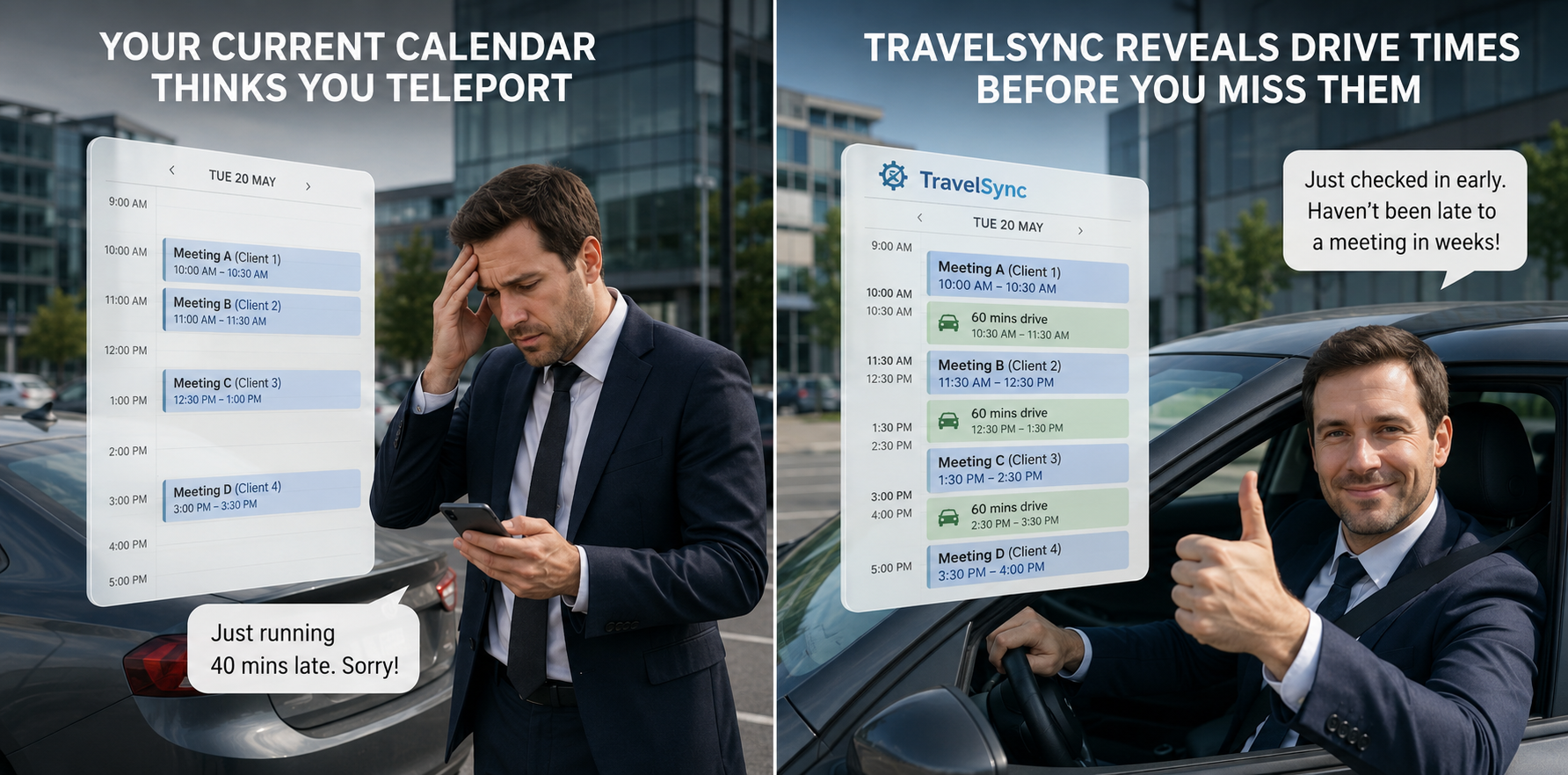
TravelSync fixes the thing your calendar app has never bothered to fix. It looks at every physical meeting in your calendar, works out the real drive time via Google Maps, and blocks that time out automatically — before you or anyone else books over it.
Built for people who actually drive to meetings.
Business owners, consultants, field sales teams, PAs — if you regularly get in a car to see clients or colleagues, TravelSync was made for you.
How does it work?
Sign in with Google, set your home and office addresses, and TravelSync does the rest. Setup takes about five minutes — and the engine runs automatically every hour.
What TravelSync Does
Real Drive Times
Uses Google Maps Distance Matrix to calculate actual driving time between your meeting locations — not an estimate, not a guess.
Smart Journey Chaining
Multiple meetings in a day? The engine routes you directly from one location to the next rather than back to your office each time.
Home & Office Aware
Before 9am and after 5pm it assumes you're starting or returning home. During the day it uses your office. Both addresses are fully configurable.
Configurable Buffer
Add arrival buffer time around every travel block so you arrive composed, not rushing through the door.
Runs Every Hour
Automatic hourly runs keep your calendar up to date. New meetings get travel blocks within the hour. Cancelled meetings get theirs removed.
Configurable Horizon
You control how far ahead the engine looks — from a few days to months. It also looks back 30 days to catch meetings that were recently added or changed.
Ignores virtual meetings automatically
TravelSync is smart enough to skip everything that isn't a physical meeting. Zoom, Teams, Google Meet, phone calls, and 70+ other virtual meeting keywords are filtered out. Only meetings with a real physical address get a travel block — no manual configuration required.
How automatic travel blocks work →🧾 Automatic mileage tracking at HMRC rates
For every journey TravelSync creates, it records the distance. At the end of the month or tax year, you can export a full mileage report with HMRC-rate calculations already applied — 55p/mile for the first 10,000 miles, 25p/mile thereafter. If you're self-employed and currently reconstructing your mileage from memory and receipts, this alone is worth the subscription.
HMRC mileage from your calendar, explained →Your data stays in your calendar account
TravelSync works with the calendars you already have — Google Calendar or Microsoft Outlook. You choose which ones to monitor and which one to write travel blocks into. Your calendar data is never sold or shared with third parties. We connect via OAuth2 — we never see your password.
How your data is handled →Every feature, in detail: Automatic travel blocks · HMRC mileage tracking · Calendar-triggered out of office · Departure alerts and daily briefings
Get Started
Sign in with Google or Microsoft and you'll be running in about five minutes.
Already have an account? Sign in